
See which AI assistants are sending you traffic.
ChatGPT, Claude, Gemini, Perplexity, Copilot — and 6 more. One dashboard, powered by your Google Analytics. Zero setup beyond a Google sign-in.
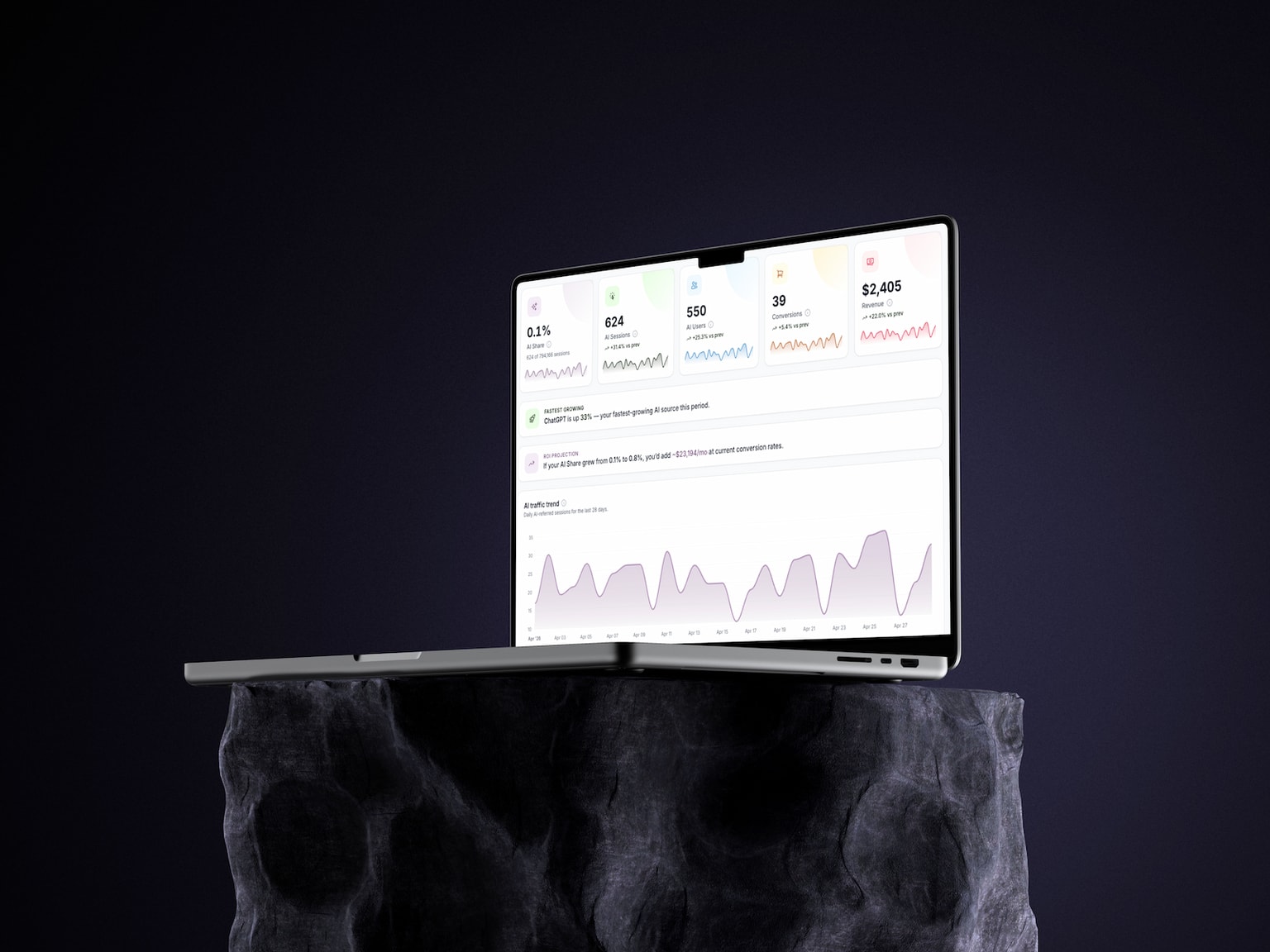
Tracks referral traffic from ChatGPT, Claude, Gemini, Perplexity, Copilot and Meta AI.
Track what's coming in. Audit what's going out.
The traffic side
Sessions, conversions and revenue — all attributed to AI.
The readiness side
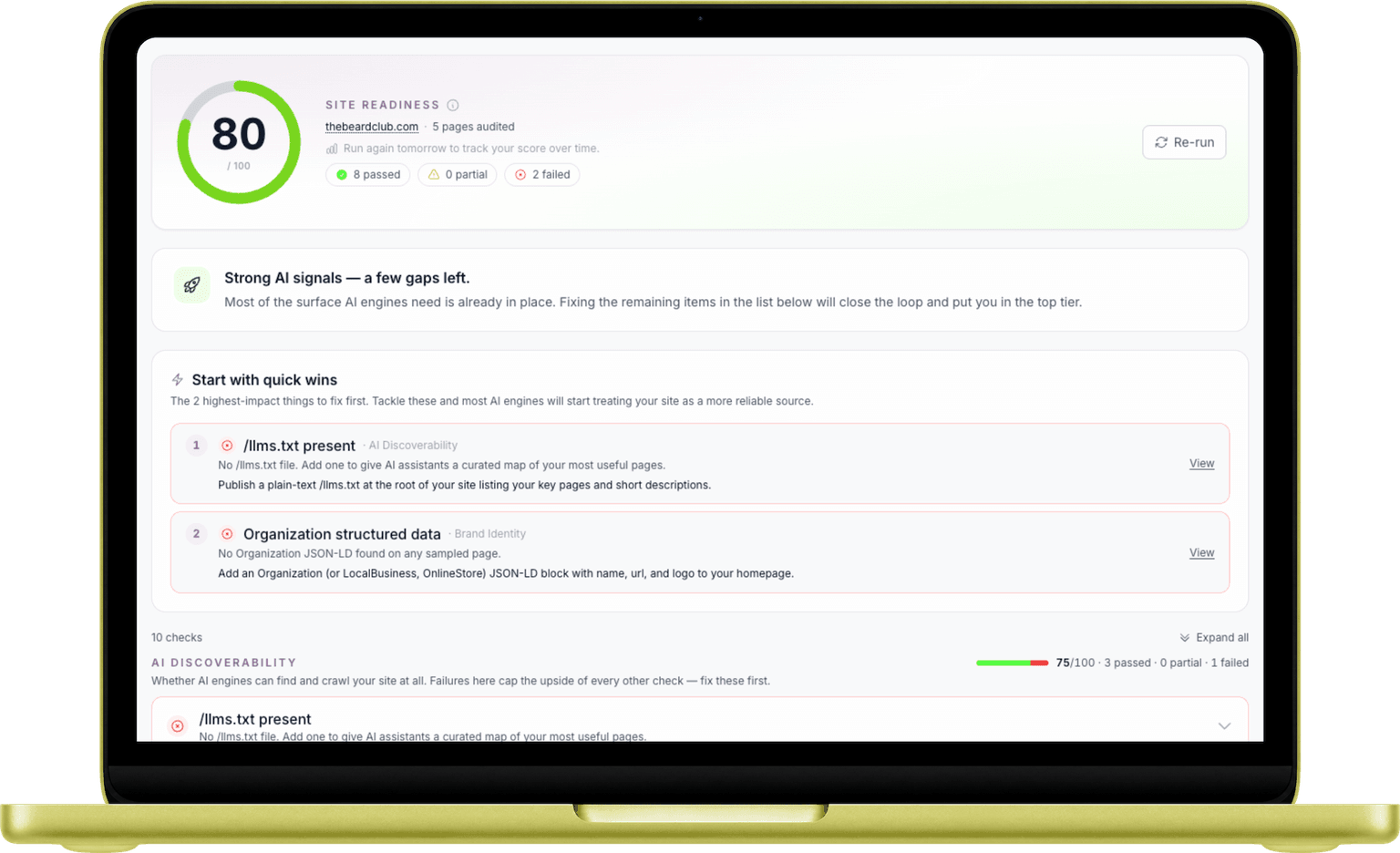
Score your site 0–100 on how AI engines see you.
Free, forever
Two minutes to set up. No credit card.
What you get
Measure your AI traffic.
Audit your AI readiness.
AI Referrals
ChatGPT, Claude, Gemini and more — automatically detected.
No tagging. No code changes. We pattern-match GA4's session source against the domains of 11+ AI assistants the moment your data syncs.
Revenue
Not just sessions — actual dollars.
Tied to GA4 e-commerce events. Know which AI sources convert.
Site Readiness
Score your site 0–100 on AI readiness.
Ten deterministic checks across discoverability, brand identity, and performance. We pull your /llms.txt, /robots.txt, sitemap and homepage to tell you exactly what AI engines see — with copy-paste fixes for the gaps.
Quick Wins
Top 3 fixes, ranked by impact.
Skip the noise. The audit surfaces what to fix first to move your score the most.
Trend & decay
Period-over-period comparison surfaces growing platforms and fading ones.
Channel mix
Quantify AI's share of total traffic against organic, direct, paid and social.
Top landing pages
Which pages AI assistants surface — optimize them to become the answer.
See where AI fits in your acquisition mix.
GA4 buries AI referrals inside the generic "Referral" bucket. We pull them out and show you exactly how AI stacks up against every other channel — so you stop under-counting one of your fastest-growing sources.
- AI traffic isolated from referral grouping
- Side-by-side with organic and paid
- Period-over-period delta
AI changes fast.
Catch the shifts.
AI assistants update their citation behavior weekly. A page that was Perplexity's #1 answer last month might be invisible today. We track per-platform deltas so you spot the change before traffic drops.
- Spot fading platforms before they hurt traffic
- Compare 7d / 28d / 90d windows
- Catches platforms with previous traffic but zero now
See which AI sends you traffic
Two minutes from sign-in to insight.
Connect GA4
Sign in with Google. We only request read-only access to your Analytics property.
- One-click OAuth
- No tag changes
- No code to install
Pick a property
Choose which GA4 property you want to analyze. Switch any time from Settings.
- Unlimited switches
- Per-user properties
- Cached for speed
See the data
Sessions, conversions and revenue from every AI platform — refreshed every 6 hours.
- 11+ AI platforms
- Trend & decay
- Channel mix
Things you might be wondering.
Is this really free?
Yes — free forever, no credit card required. We make money on FlyRank AI, our done-for-you SEO, GEO & AEO service. This dashboard is a free tool you can use whether you ever talk to us or not.
What data do you actually access in my Google Analytics?
Read-only access to your GA4 property — sessions, users, traffic sources, conversions, and revenue. We never modify your GA4 settings, never write data, and never see anything outside the property you select.
How do you detect "AI traffic"?
We pattern-match GA4's session source against the domains of 11+ AI assistants — chatgpt.com, claude.ai, perplexity.ai, gemini.google.com, copilot.microsoft.com, and more. If the user landed via a referral from one of those domains, it counts.
What is the Site Audit?
A free readiness audit that scores your site 0–100 on how easily AI engines can find, identify and quote it. We pull your homepage HTML, your /robots.txt, your /llms.txt, and a sample of pages from your sitemap, then run 10 deterministic checks across three categories: AI discoverability, brand identity, and performance & reach. You get a list of pass/partial/fail items with exact copy-paste fixes for the top issues.
Does the Site Audit modify my site or hit me with a crawler?
No. Every check is a single read-only HTTP fetch — same as a browser visiting your site. We never POST, never log in, never change a thing. The total bandwidth per audit is well under 1 MB, and the results are cached for 6 hours so re-running the audit doesn't hammer your origin.
How is the Site Audit score calculated?
Each of the 10 checks awards full credit for a clean pass, half credit for a partial pass, and zero for a fail. The score is the weighted average across the three categories — AI Discoverability counts most because if AI bots can't reach you, the rest doesn't matter. Methodology details and the full formula are documented at the bottom of the audit page itself.
How is this different from "AI SEO" tools?
Most AI SEO tools guess your visibility by prompting ChatGPT or Perplexity a few times and tallying mentions — a sample of a sample, biased by which prompts they choose to run. We show you the true picture: every real visitor an AI assistant has sent your way, pulled directly from your Google Analytics. No prompts to design, no synthetic queries, no inference. When you're ready to act on what you see, FlyRank AI handles the SEO, GEO and AEO work for you.
How fresh is the data?
GA4 data is fetched and cached for 6 hours. You can hit Refresh in the dashboard at any time to bypass the cache and pull live data immediately.
Can I disconnect Google later?
Anytime, from Settings. Disconnecting revokes the OAuth grant at Google AND deletes your encrypted refresh token + cached analytics from our database.
Free · Forever
See your AI traffic today.
Two minutes to set up. Connect your Google Analytics and start seeing the data that GA4 buries.
Want the climb done for you? Explore FlyRank AI →